

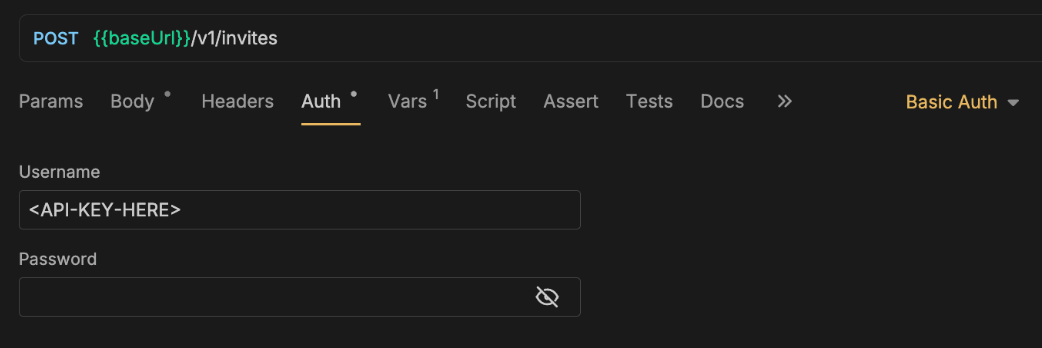
Basic base64(<API_KEY>:), where the colon is required even though no password is provided. Most HTTP clients (such as Postman, see screenshot below) will generate this automatically when you select Basic Auth, input the API key as the username, and leave the password empty.
-u:
401.
Environments
API keys are issued per environment. A sandbox key only works with the sandbox base URL, and a live key only with the live one. The examples in the API reference use the live base URL, so swap in the sandbox one while you test. See the Sandbox Guide for how the sandbox differs from live.